
Attendance (Daily Recording)
The day's register: who reported, who was late, who is absent — recorded manually here, from the clock-in device, or auto-marked by the nightly job.
Where: HR → Attendance → Attendance
Recording
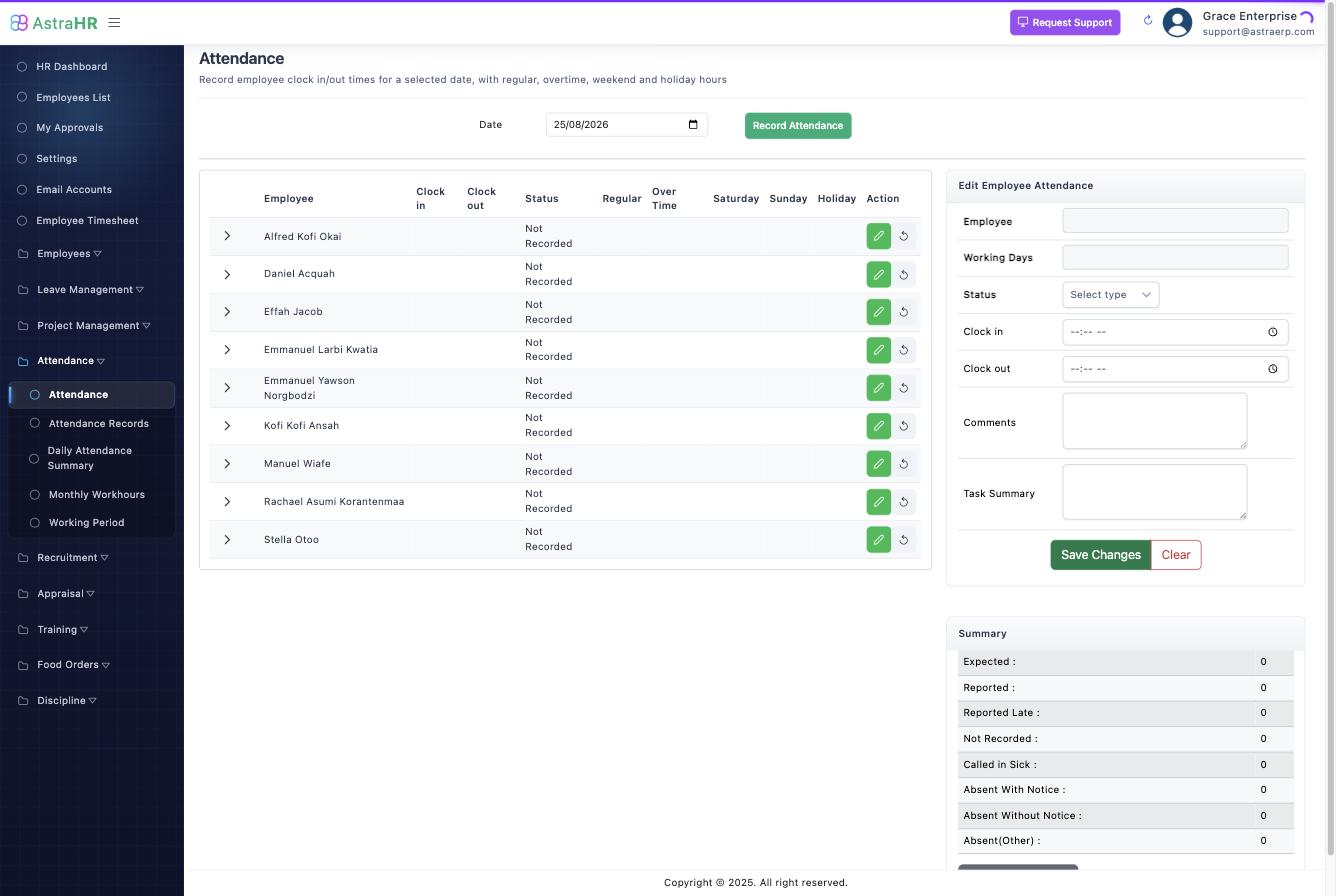
Record Attendance: employee, date, status, clock-in/out times, comments and a task summary. Statuses: Reported · Reported Late · Not Recorded · Called in Sick · Absent With Notice · Absent Without Notice · Absent (Other).
The list shows each employee's clock in/out, status and computed hours (regular, overtime, Saturday/Sunday/holiday).
Where the data comes from
- Manual entry on this screen.
- Clock-in device — pushes events automatically (see Attendance Device).
- Nightly job — initialises the day's register for companies with attendance recording enabled (weekdays), so unrecorded staff surface as Not Recorded instead of disappearing.
- Employee portal — self clock-in where enabled, geo-verified against mapped premises.
What attendance feeds
- Monthly work-hours and payroll (overtime, absence effects) — see Attendance Summaries.
- Discipline auto-triggers: 3+ late reports in a week, or any Absent Without Notice, raises a draft disciplinary incident with the attendance rows attached as evidence — a manager reviews and advances or dismisses it (how that works).
- Suspended employees (discipline) are excluded from capture while suspended, so no absence penalties accrue.